Works like NCALayer
Listens on the same wss://127.0.0.1:13579 and speaks the same protocol, so websites need no changes.
A native NCALayer replacement for Windows
NativeNCA signs you in and signs documents on eGov, in online banking and other Kazakh services with your NCA (НУЦ РК) key. Websites talk to it the same way they talk to NCALayer, and you approve each signature with your face, fingerprint or Windows Hello PIN.
Why not NCALayer
For years it signed documents for the whole of Kazakhstan, and we thank it for that. Compare one signature in NCALayer and in NativeNCA: press the button in either window.
This is a parody. Any resemblance to reality is intentional.
| In short | NCALayer | NativeNCA |
|---|---|---|
| Java | Brings a whole Java runtime and keeps it in memory | Not needed. A single .NET file that sits in the tray |
| Key password | Find the .p12 file and type the password. For every signature | Once, when you add the key. After that, Windows Hello |
| Choosing a key | Guess which GOST512_…p12 is the right one |
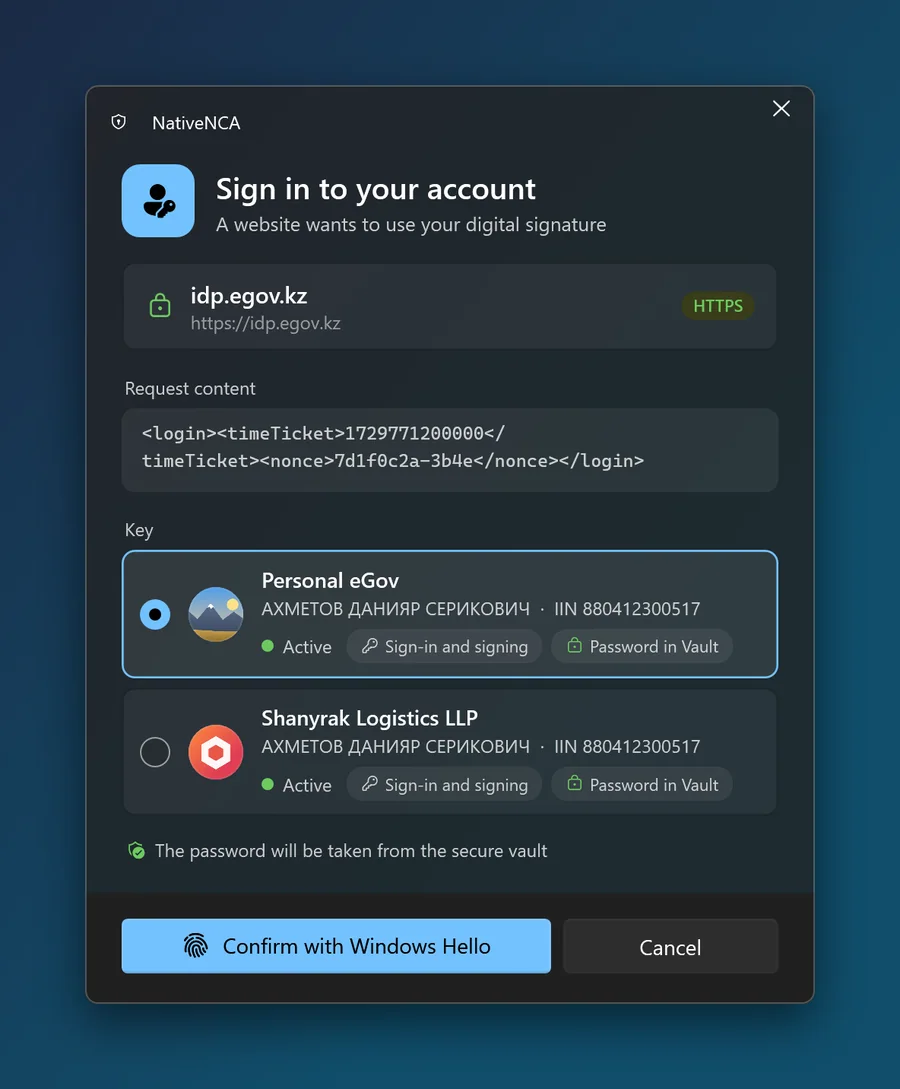
Readable names and photos: "Personal eGov", "LLP Shanyrak" |
| Certificate for 127.0.0.1 | The same private key on every computer | A separate one per computer, the issuing key destroyed |
| Source code | Closed, nothing to check | Open on GitHub under GPL-3.0, you can build it yourself |
| Looks | Straight from the age of Java applets | Fluent Design, Mica, light and dark themes |
Features
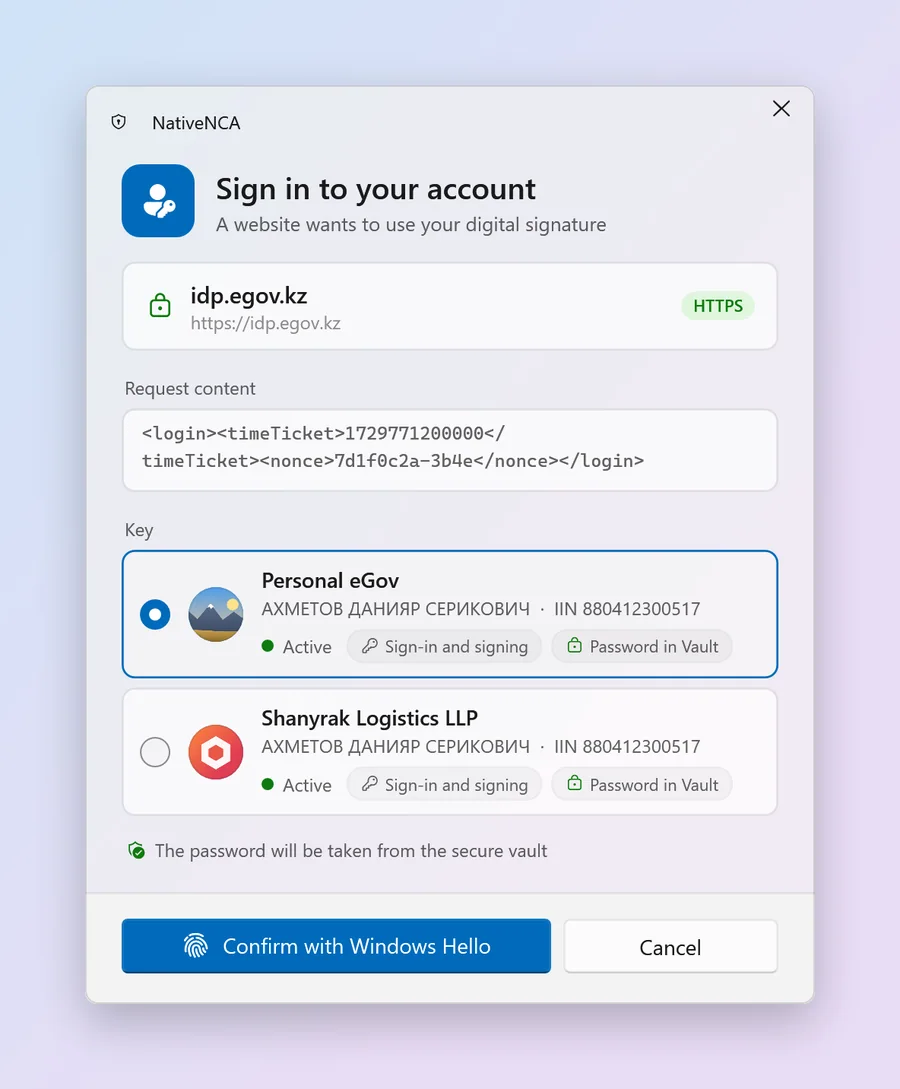
You add your .p12 keys once. After that, every request from a website opens a window that shows who is asking, what exactly will be signed and with which key.
Listens on the same wss://127.0.0.1:13579 and speaks the same protocol, so websites need no changes.
СТ РК ГОСТ Р 34.10-2015 (512 bit) and RSA keys from NCA. CMS/CAdES and XML signatures are checked against reference signatures made by Kalkan.
Approve a signature with your face, fingerprint or PIN. You type the key password once, when you add the key.
Keys and passwords are encrypted with Windows DPAPI. If you like, a Windows Hello key from the TPM adds a second layer.
The confirmation window shows the site's domain, the data itself and the keys that fit the request.
Give a key a photo or a company logo and crop it right in the app, so keys are hard to mix up.
With a CAdES-T timestamp, a signature can still be verified after the certificate expires.
Installs without administrator rights. The app tells you about a new version and updates when you press "Update". You can roll back to the previous version.
Fluent Design, Mica, dark theme, a tray icon and start with Windows. Opens right away, with no splash screen.
How signing works
eGov or your bank connects to 127.0.0.1:13579, as it did with NCALayer.
The domain, the request content and the matching keys. You can pick another key or cancel.
The key is decrypted in memory and the data is signed on your computer.
It receives the signature and your public certificate. The private key stays on the computer.
Security
The code is open under GPL-3.0, and the README describes the protection in detail. Here are the main points.
Cryptography, the vault, the protocol and the updater are on GitHub. GitHub Actions builds releases from that same code, and every zip comes with a SHA-256 checksum.
The browser needs a certificate for 127.0.0.1. NativeNCA issues it from its own certificate authority and destroys that authority's key right away. Name constraints allow local addresses only.
Keys and passwords are encrypted with DPAPI for your Windows account. In protected mode they are also encrypted with AES-256-GCM under a TPM key that only Windows Hello can unlock.
Every release zip is signed with the project key. NativeNCA installs an update only if the signature is valid for that exact version and architecture and the version is newer than the installed one. Files come only from github.com over HTTPS, and the previous version is kept for rollback.
NativeNCA listens on 127.0.0.1 only, so nothing on your network or the internet can connect to it. Signatures are made on the computer, and the private key is never sent anywhere.
The app sends nothing to the developer. It goes online in two cases: to GitHub to check for updates (you can turn this off), and to the NCA timestamping service if timestamps are on.
Screenshots
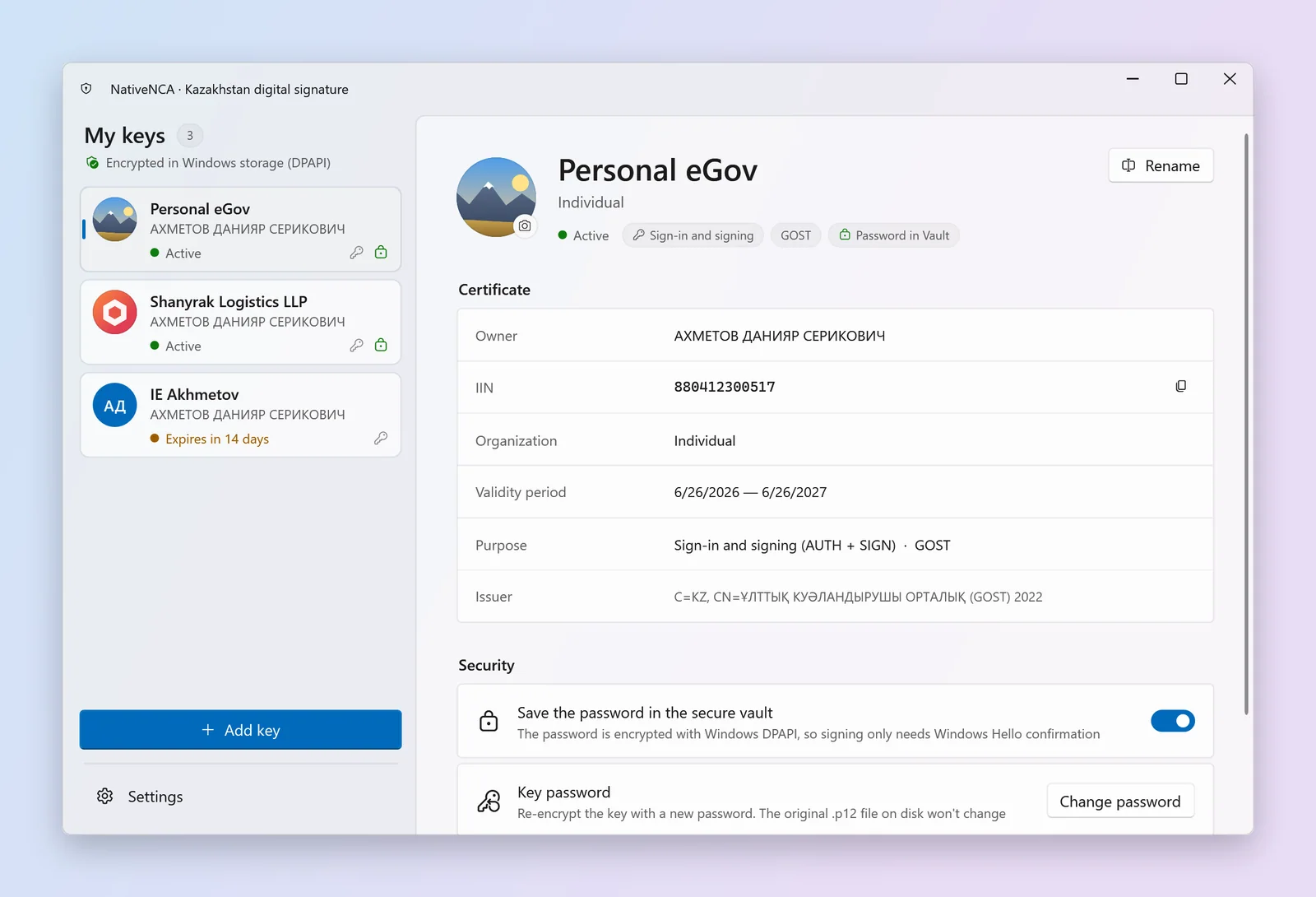
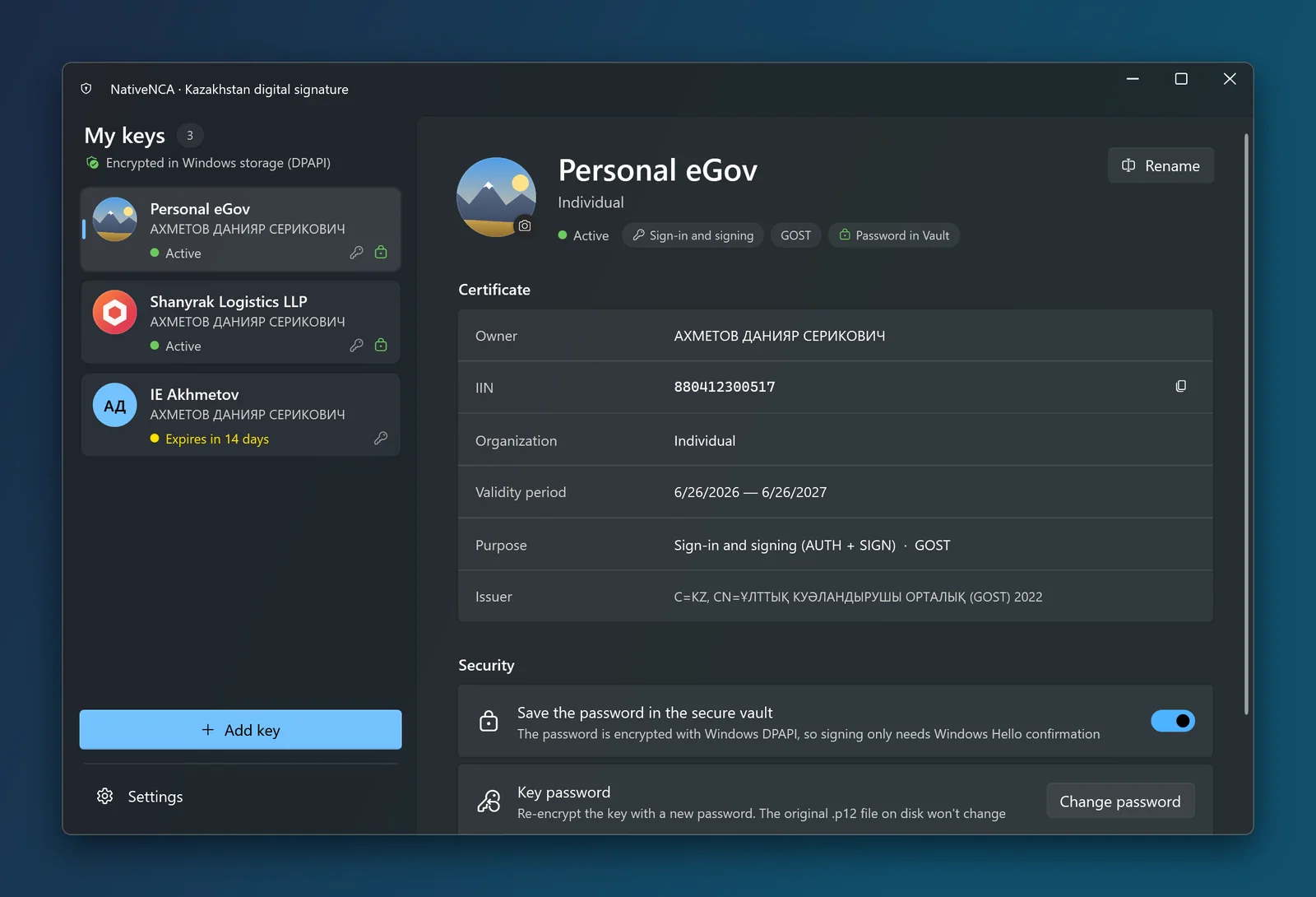
The interface is built with Fluent Design. Screenshots follow the site's theme.
All keys in one list with names, photos, expiry and purpose. Certificate details, IIN and issuer are right next to it.
Installation
The button below picks the build for your processor. Extract the zip to any folder.
Run NativeNCA.exe and press "Install". No administrator rights needed, and the app appears in the Start menu.
Windows asks once about the browser certificate: answer "Yes". Then pick your .p12 file from NCA and enter its password.
As usual. The NativeNCA window appears instead of NCALayer. If NCALayer is running, the app offers to close it.
You can also skip installation: "Run without installing" starts the app from the extracted folder, but that copy does not update itself.
FAQ
NativeNCA is free, with no ads and no telemetry. Donations go towards compatibility with new sites, hardware token support and a code signing certificate, after which SmartScreen will stop warning on launch.
Extract the zip, run NativeNCA.exe and press "Install". If SmartScreen asks, click "More info" and "Run anyway".